Customer support is simultaneously the most critical and most expensive function in any business. The average cost per human support ticket in 2026 ranges from $6 to $25 depending on complexity and channel. Multiply that by hundreds or thousands of daily inquiries, and you're looking at a significant operational expense that scales linearly with growth. AI-powered support bots change this equation fundamentally. When implemented correctly, they handle 60-85% of incoming inquiries without human intervention, respond instantly 24/7, maintain perfect consistency, and cost a fraction of traditional support. But 'implemented correctly' is the key phrase - poorly built bots frustrate customers and damage brand trust. In this comprehensive playbook, we'll walk you through every step of building an AI support system that actually works: from initial strategy and bot creation to knowledge base construction, channel deployment, automation flows, analytics, and continuous optimization. By the end, you'll have a production-ready AI support system that delights customers and dramatically reduces costs.
Before You Build: Strategy and Planning
The biggest mistake companies make with AI support is jumping straight to implementation without strategy. Start by auditing your current support volume: categorize every ticket from the last 3 months by type, complexity, and resolution method. You'll typically find that 60-70% of inquiries fall into predictable categories - order status, pricing questions, password resets, feature explanations, return policies, billing inquiries. These are your automation candidates.
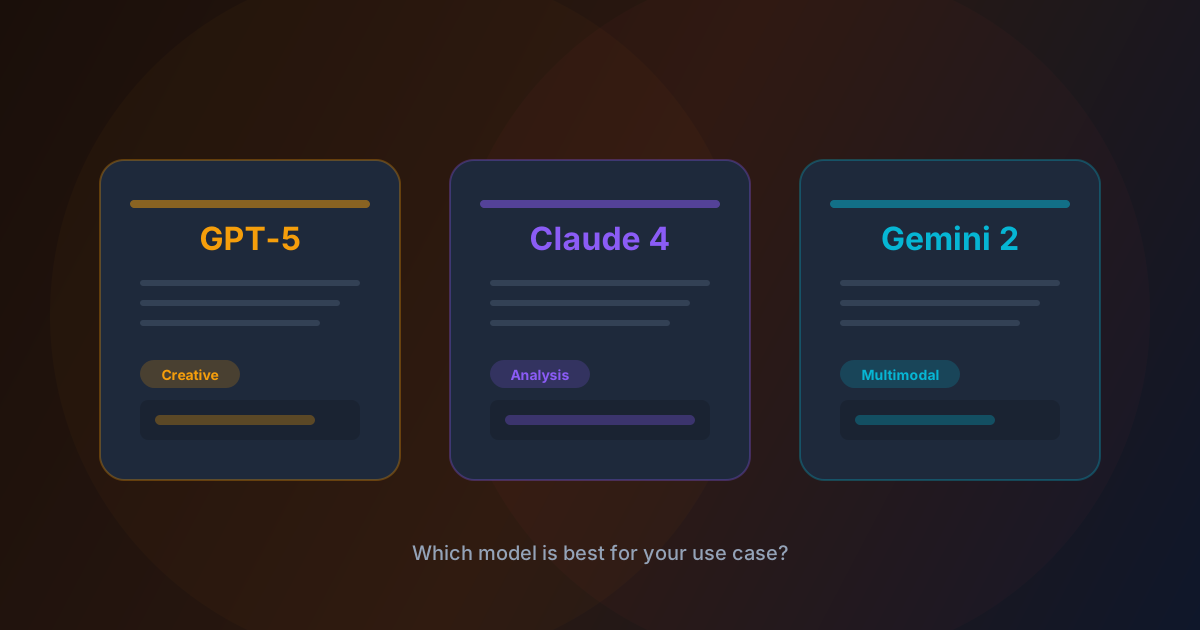
Next, define your escalation criteria: what types of issues should always reach a human agent? Complex complaints, high-value customer retention, technical bugs requiring investigation, and emotionally sensitive situations should have clear escalation paths. Set measurable goals: target first-response time under 5 seconds (AI) vs your current average, automation rate target (start with 50%, optimize toward 80%), customer satisfaction score maintenance (CSAT should not drop), and cost-per-ticket reduction target. Finally, choose your AI model. For customer support specifically, we recommend Claude 4 Sonnet - it excels at understanding nuanced customer language, following complex instructions, maintaining context across long conversations, and providing accurate answers grounded in your documentation.
Step 1: Creating Your AI Support Bot
In SynapticAI, navigate to the Bot Builder and create a new bot. The most critical component is your system prompt - this is the DNA of your bot's behavior. A great support bot system prompt should include: your company name and what you do, the bot's name and personality traits (friendly, professional, empathetic), explicit instructions for handling common scenarios, tone guidelines (formal vs casual, use of emojis), escalation triggers (when to hand off to humans), information the bot should never share (internal processes, competitor comparisons), and response format preferences (bullet points for steps, short paragraphs for explanations).
Here's a proven framework: start with identity ('You are [Name], a customer support assistant for [Company]'), then context ('We offer [products/services] to [target customers]'), then behavior rules ('Always be helpful, empathetic, and concise. If you're unsure about something, say so and offer to connect the customer with a human agent'), and finally boundaries ('Never discuss pricing changes that haven't been announced, never share customer data, and never make promises about features we haven't confirmed'). Select Claude 4 Sonnet as your model, set temperature to 0.3 for consistent, reliable responses, and configure the maximum response length to 300 tokens - support answers should be clear and concise, not essays.
Step 2: Building a Bulletproof Knowledge Base
Your bot is only as good as the information it can access. SynapticAI uses RAG (Retrieval-Augmented Generation) to ground your bot's responses in real documentation, which dramatically reduces hallucination. Start by uploading your core documents: FAQ pages, product documentation, pricing pages, help center articles, shipping and return policies, terms of service, and any internal support playbooks. For best results, organize documents by category and keep individual documents focused on single topics - a 2-page document about returns will perform better than a 50-page general support manual.
After uploading, test extensively: ask your bot the 30 most common customer questions and verify every answer against your documentation. Pay special attention to edge cases - questions that combine multiple topics ('Can I return a sale item and get store credit instead of a refund?'), questions with time-sensitive answers ('Is the holiday sale still active?'), and questions where the answer is 'we don't support that' (bots should handle negatives gracefully, not hallucinate features). Update your knowledge base weekly with new FAQs, product updates, and insights from escalated tickets. The best AI support systems treat knowledge base maintenance as an ongoing process, not a one-time setup.
Step 3: Deploying Across Every Channel
Your customers are spread across multiple channels, and your AI support should meet them where they are. SynapticAI supports deployment on WhatsApp Business API, Telegram, Discord, Slack, Microsoft Teams, and embeddable website widgets. For WhatsApp - the highest-impact channel for most B2C businesses - connect your WhatsApp Business account in Settings > Integrations. The setup takes under 5 minutes: verify your business number, link it to SynapticAI, and your bot is live. WhatsApp bots can handle text, images (customers sending photos of defective products), documents, and even voice messages (transcribed automatically via Whisper). For your website, copy the embed script tag and paste it before the closing </body> tag.
Customize the widget's colors, position, welcome message, and avatar to match your brand. The widget supports real-time typing indicators, file uploads, and seamless handoff to human agents via your existing helpdesk (Zendesk, Intercom, Freshdesk integrations available). For Telegram and Discord, create a bot token through each platform's bot creation flow, paste it into SynapticAI, and you're live. Pro tip: deploy on your highest-volume channel first, optimize for 2 weeks, then expand to additional channels. This lets you refine your bot's behavior before scaling.
Your customers are spread across multiple channels, and your AI support should meet them where they are.
Step 4: Building Advanced Automation Flows
Simple Q&A is just the beginning. SynapticAI's visual flow builder lets you create sophisticated automation sequences that handle complex customer journeys. Welcome flows: when a new customer messages for the first time, trigger a welcome sequence that introduces your brand, asks what they need help with, and routes them to the right department. Keyword triggers: automatically detect intent from keywords - 'refund' triggers the return process flow, 'pricing' shows plan comparison, 'speak to human' immediately escalates. Conditional logic: based on customer data (order status, account type, previous interactions), deliver personalized responses.
A VIP customer asking about a delayed order gets a different response than a first-time buyer. Scheduled follow-ups: after resolving a ticket, automatically send a satisfaction survey after 24 hours. If the rating is below 4 stars, trigger an escalation to your customer success team. Multi-step processes: for complex workflows like returns, the bot can guide customers through each step - verify order number, confirm item, explain policy, generate return label, send tracking link - all automatically. Integration actions: trigger webhooks to update your CRM, create Jira tickets for bug reports, send Slack notifications for urgent issues, or update order status in your e-commerce platform.
Step 5: Analytics, Monitoring, and Optimization
Deploying your bot is not the finish line - it's the starting line. SynapticAI's analytics dashboard gives you real-time visibility into your bot's performance. Key metrics to monitor: Automation Rate (percentage of conversations resolved without human intervention - aim for 70%+ within the first month), Average Resolution Time (AI should resolve tickets in under 60 seconds vs 4+ hours for human-only support), Customer Satisfaction Score (CSAT should maintain or improve compared to human-only baseline), Escalation Rate (track which topics most frequently require human intervention - these are optimization opportunities), and False Resolution Rate (conversations marked as resolved where the customer came back with the same issue). Review escalated conversations weekly to identify knowledge gaps.
If customers frequently ask about a topic that triggers escalation, add that information to your knowledge base. Monitor for response quality: flag responses where the bot hedged ('I'm not sure, but...') and determine if the information exists in your knowledge base but wasn't retrieved (a retrieval issue) or if the information genuinely doesn't exist (a content gap). Set up alerts for anomalies: sudden spikes in escalation rate, drops in satisfaction scores, or unusual conversation volumes that might indicate a product issue or outage.
Common Pitfalls and How to Avoid Them
After helping hundreds of businesses deploy AI support, we've identified the most common mistakes. Pitfall 1: Over-promising capabilities. Don't tell customers they're talking to an 'AI that knows everything.' Set realistic expectations: 'I'm an AI assistant that can help with most questions. For complex issues, I'll connect you with our team.' Pitfall 2: Ignoring the handoff experience. When the bot can't help, the transition to a human agent must be seamless - the human should see the full conversation history, the customer's intent, and any information already collected. Nothing frustrates customers more than repeating themselves. Pitfall 3: Set-and-forget mentality.
AI support requires ongoing maintenance: updating knowledge bases, refining system prompts, adding new automation flows, and adapting to product changes. Allocate at least 2-3 hours per week for bot optimization. Pitfall 4: No fallback for edge cases. What happens when the API is down? When the model produces an obviously wrong answer? When a customer is clearly distressed? Build fallback paths for every failure mode. Pitfall 5: Measuring the wrong metrics. Don't celebrate a 90% automation rate if customer satisfaction dropped 20%. The goal is better customer experiences at lower cost - not just cheaper support.
ROI Calculator: The Real Numbers Behind AI Support
Let's talk numbers. Assume your business handles 1,000 support tickets per month with an average cost of $12 per human-handled ticket - that's $12,000/month in support costs. After deploying AI support with a conservative 65% automation rate: 650 tickets are handled by AI at approximately $0.03 per conversation (model API cost), totaling $19.50/month. 350 tickets are still handled by humans at $12 each, totaling $4,200. Your new monthly support cost: $4,219.50 - a savings of $7,780.50 per month, or $93,366 per year. But the ROI goes beyond direct cost savings.
First-response time drops from an average of 47 minutes to under 5 seconds - a 99% improvement that directly impacts customer satisfaction and retention. Your support team, now handling only complex and high-value interactions, reports higher job satisfaction (they're solving interesting problems instead of answering the same FAQ for the 200th time). Customer satisfaction scores typically increase 8-15% because customers get instant, accurate answers at any hour of the day. These aren't theoretical numbers - they're averages from businesses using SynapticAI's bot automation in production. Your specific results will vary based on ticket volume, complexity distribution, and implementation quality.
AI-powered customer support in 2026 isn't a competitive advantage - it's a competitive necessity. Businesses that still rely exclusively on human support are paying 3-5x more per ticket, responding 100x slower, and delivering inconsistent experiences that vary by agent, shift, and workload. The technology is mature, the tools are accessible, and the ROI is undeniable. Start with a focused pilot on your highest-volume channel, measure everything, iterate weekly, and scale once your metrics prove the value. With SynapticAI's bot automation, you can go from zero to a production-ready AI support system in a single afternoon. Your customers - and your finance team - will thank you.
SynapticAI Team
Product at SynapticAI